✦ Free Chrome Extension · Manifest V3

Snippets, focus mode & automation
in one extension.

SnippetFocus brings code management, distraction-free reading, and in-browser JavaScript execution together — all locally, no account required.

12languages supported
3tools in one place
100%local storage
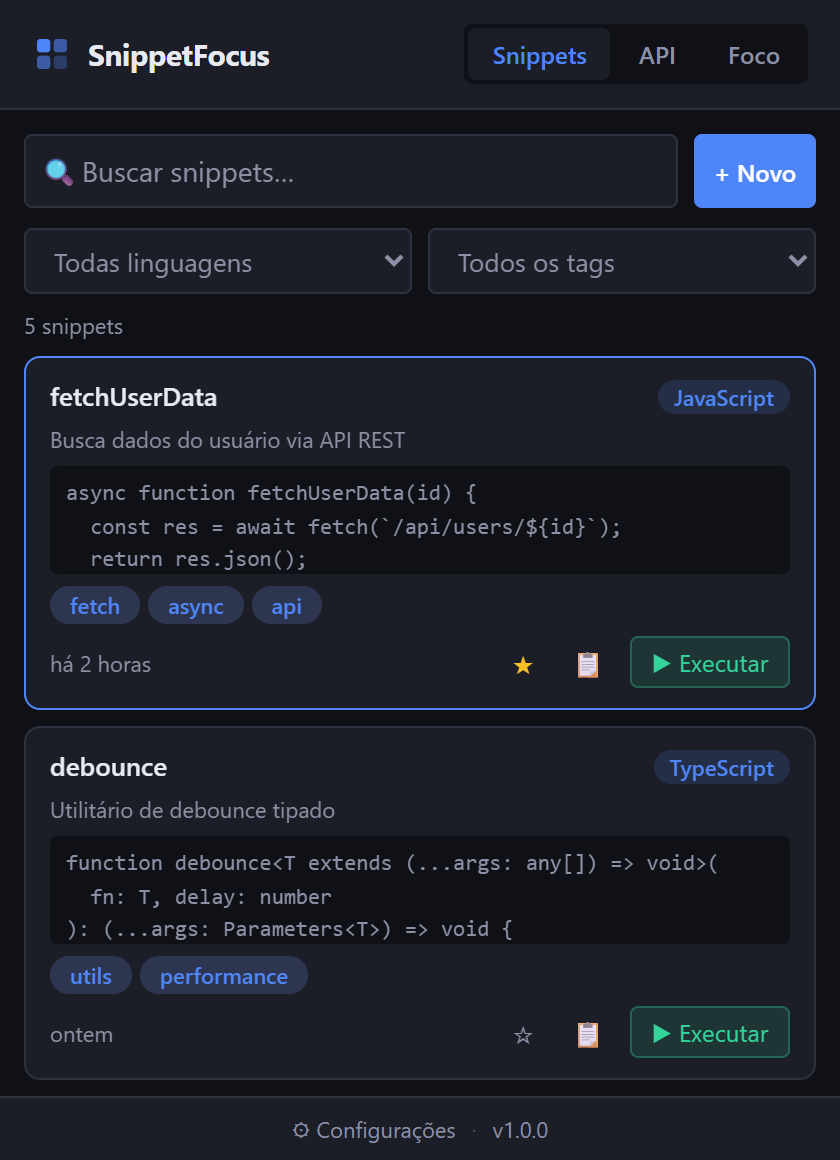
SnippetFocus extension popup showing the snippet list
Extension active

Everything a dev needs in the browser

Three integrated tools to boost your productivity without leaving Chrome.

📋

Snippet Manager

Save, organize, and find your snippets in seconds. Supports 12 languages with search by title, content, and tags.

  • ✓ Custom tags and favorites
  • ✓ One-click copy
  • ✓ Save selection via right-click (Alt+S)
  • ✓ Export/Import as JSON
Snippet list in the popup
📖

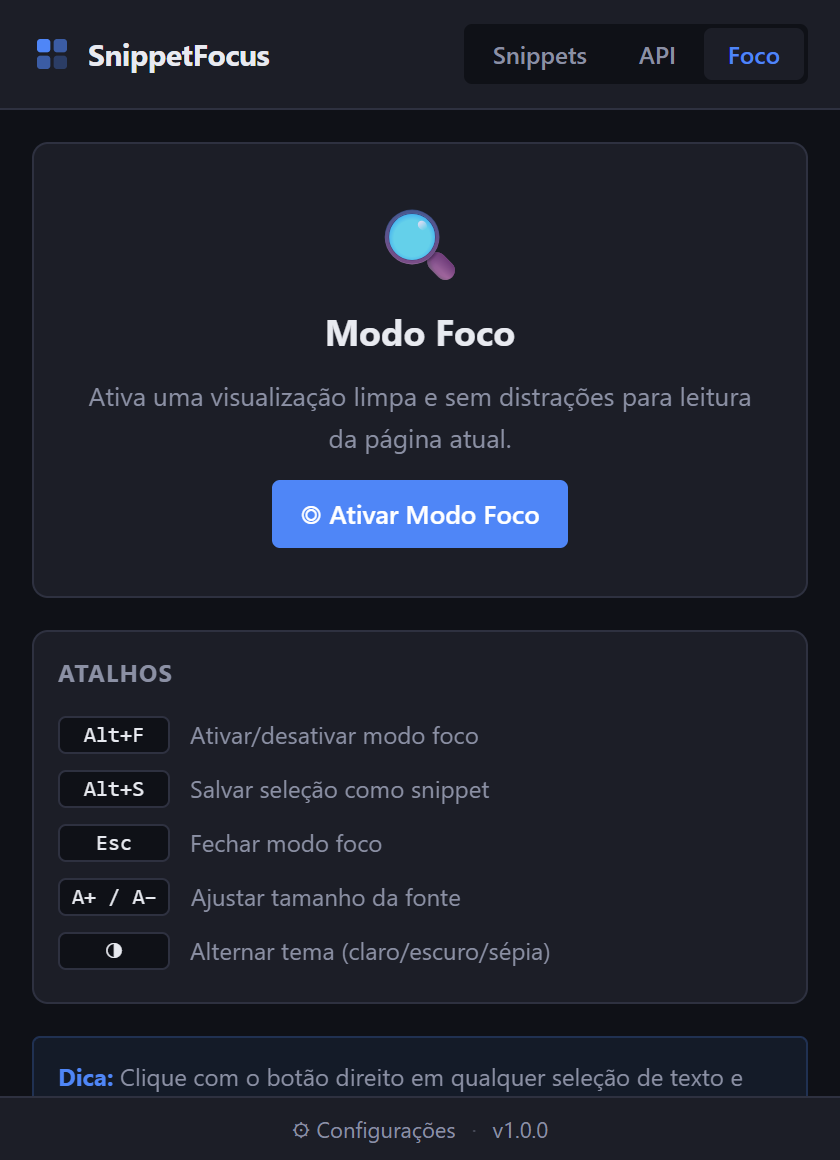
Focus Reader Mode

Strips distractions and presents page content in a clean layout with typography optimized for long reads.

  • ✓ Light, dark, and sepia themes
  • ✓ Font size & spacing controls
  • ✓ Reading progress bar
  • ✓ Toggle with Alt+F
Popup — Focus Mode tab

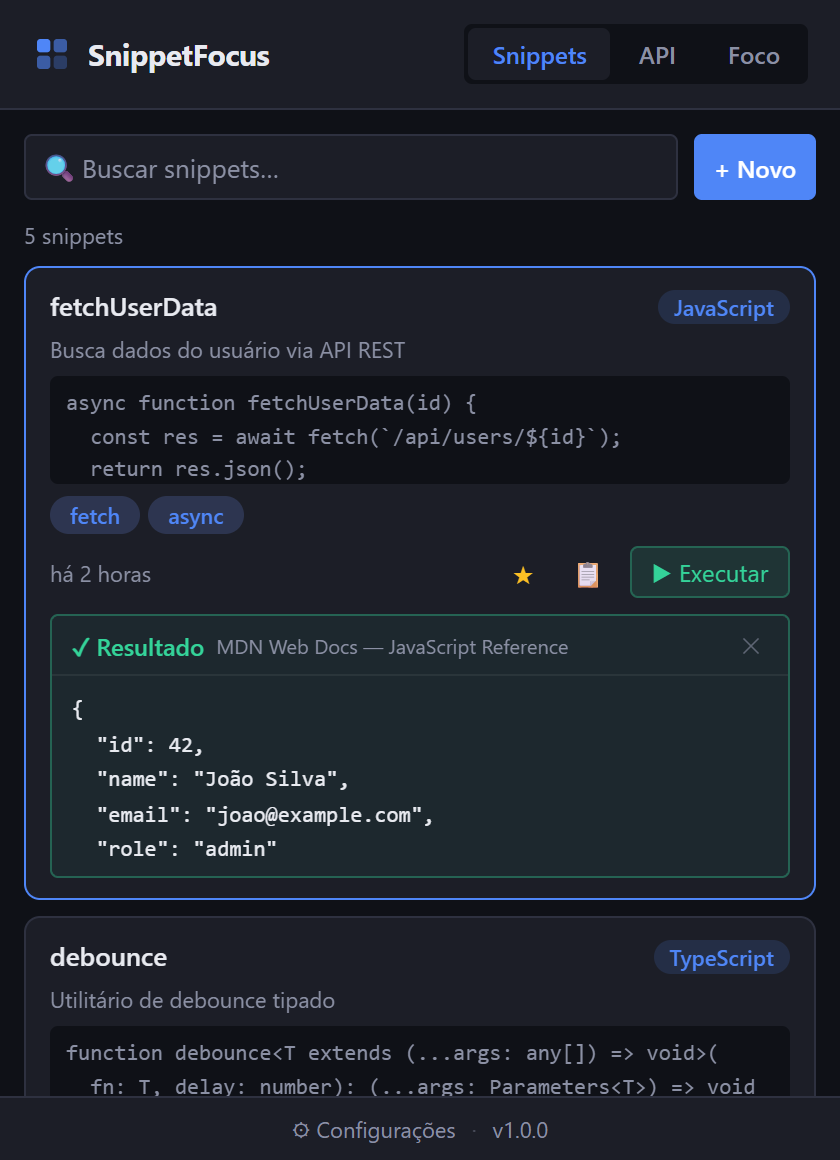
Run in Console

Execute any snippet directly in the active tab with one click. See the result inline — no DevTools needed.

  • ✓ Result shown inside the popup
  • ✓ Clear error messages
  • ✓ Runs in the page context
Snippet execution result
🔗

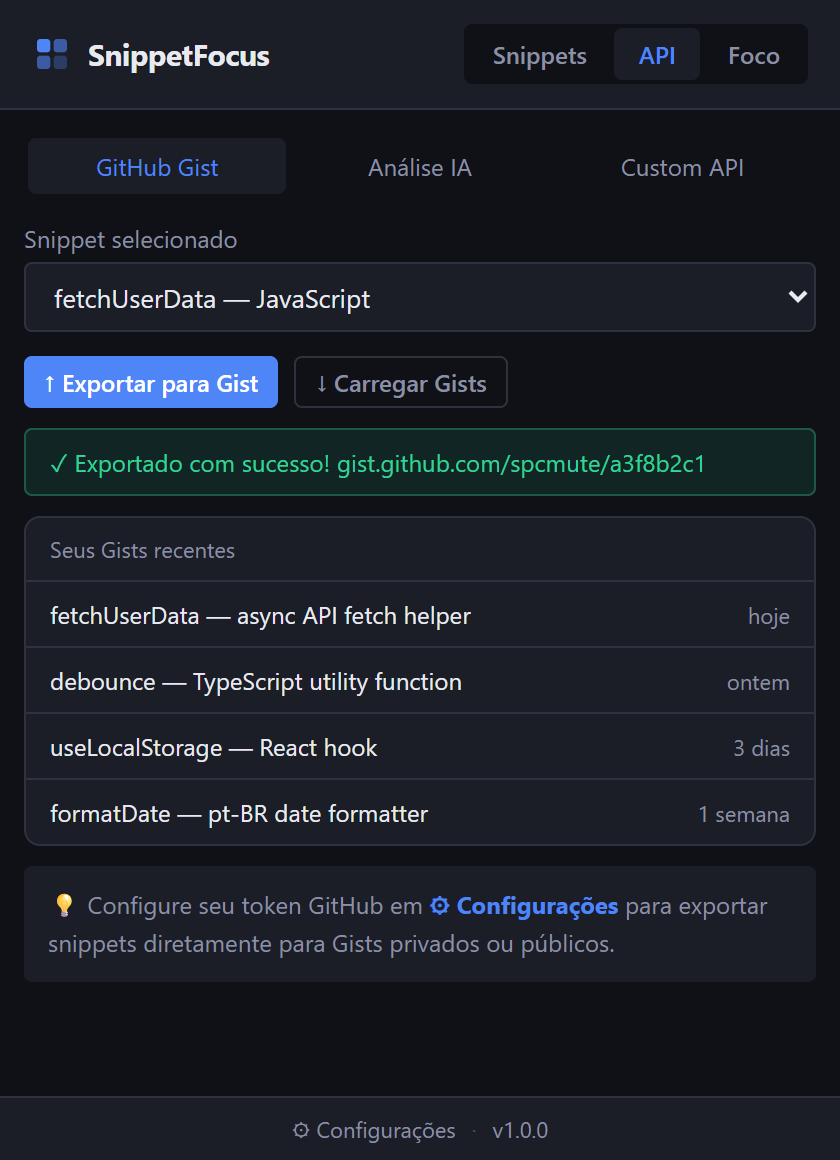
API Integrations

Connect your favorite tools directly from the popup.

🐙 GitHub Gists Export snippets as a private Gist with one click
OpenAI Automatic code analysis with tag suggestions and improvements
Custom API Configurable endpoint for any compatible service

From zero to snippet in 3 steps

01

Install the extension

Add SnippetFocus to Chrome from the Web Store in one click. No sign-up, no account — works immediately.

Popup after installation
02

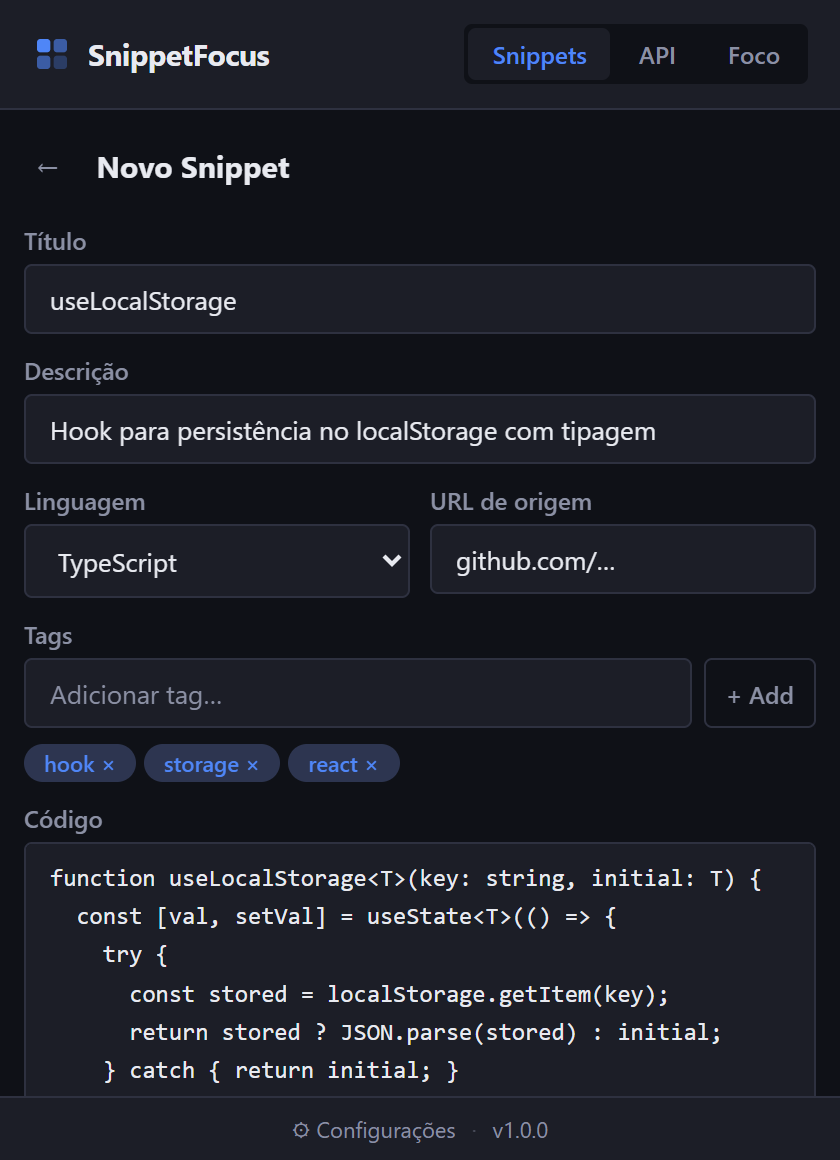
Save code from any page

Select text, right-click, and choose "Save as Snippet" — or press Alt+S.

Snippet editor
03

Use and run anywhere

Open the popup, find your snippet and run it directly in the active tab. The result appears in the popup — no DevTools required.

Snippet execution with result

See the extension in action

Dark, clean interface built for developers.

Snippet list
Snippet List
Snippet editor
Snippet Editor
Execution result
▶ Run in Console
GitHub Gists integration
GitHub Gists Integration
Focus Mode tab
Focus Mode
Run and see result inline
Run & see result inline

Built for keyboard-first developers

Alt+S

Save selection as snippet

Alt+F

Toggle focus mode

Esc

Close focus mode

A+/A−

Adjust font size (focus mode)

12 languages supported

JavaScript TypeScript Python Rust Go CSS HTML SQL Bash JSON Markdown Text

Frequently asked questions

Where are my snippets stored?

All data is stored locally in your browser via chrome.storage.local. Nothing is sent to external servers. Your API keys (GitHub, OpenAI) also stay on your device only.

Can I back up my snippets?

Yes! In the Settings page (⚙ icon in the popup) there is a "Data" section with options to export all snippets as JSON and import them back whenever you need.

Does the "Run" button work on any website?

It works on most web pages. The extension uses chrome.debugger to execute code, which bypasses CSP restrictions. System pages like chrome:// are not accessible.

Do I need an account to use it?

No. SnippetFocus works immediately after installation — no sign-up or login required. GitHub and OpenAI integrations are optional and only need your API key in settings.

Does it work in other browsers?

SnippetFocus is currently optimized for Google Chrome and Chromium-based browsers (Edge, Brave, Opera). Firefox support is planned.

How does Focus Mode work?

Focus Mode automatically detects the main content of the page (article, main, etc.) and displays only that content in a full-screen overlay with optimized typography. Press Alt+F to activate or Esc to close.

SnippetFocus popup

Ready to be more productive?

Free, no sign-up required, and all data stored locally in your browser.

Add to Chrome — it's free

Chrome Web Store · Manifest V3 · Open source